WIMS allows you to control what calc request the Calc Button on a Monthly Data Entry Form makes. You may need to set the Calc button to only submit a request for variables on the form to stop users from inadvertently submitting calc requests for the entire database if you have a large database causing slowdowns in the Calc Engine.
You have the following options:
|
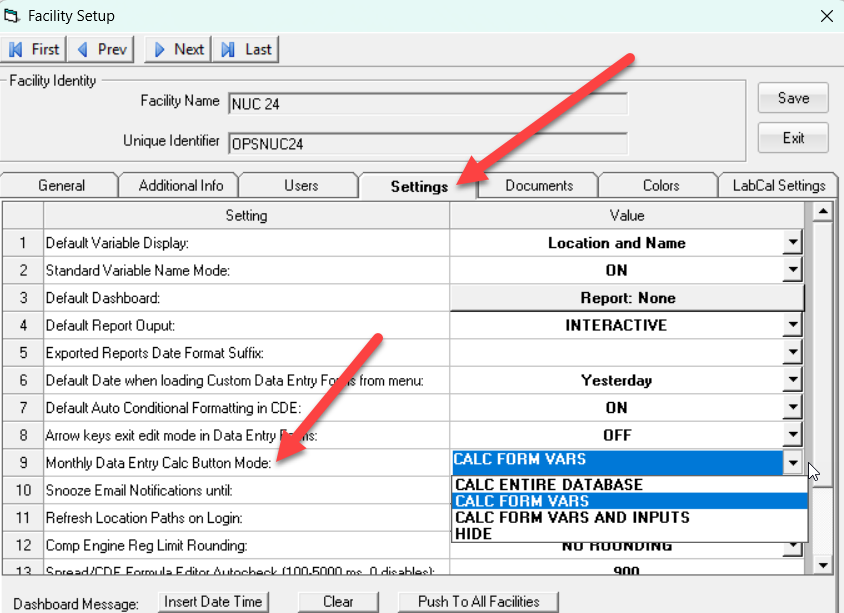
Calc Entire Database - submits a calc request for ALL calculated variables for the date range displayed in the form. |

|
|
Show Calc Form Vars - submits a calc request for calculated variables that are displayed in the form for the date range of the form. |

|
|
Calc Form Vars with inputs - submits a calc request for calculated variables and any calculated variables that are inputs to those calcs that are displayed in the form for the date range of the form. |

|
| Hide - Calc button is hidden and Calc menu is disabled. |

|
To set:
1. Go to System Setup, System Tables, This Facility, Facility Setup
2. Click on the Settings Tab
3. Select in option for the Monthly Data Entry Calc Button Mode
4. Click Save.
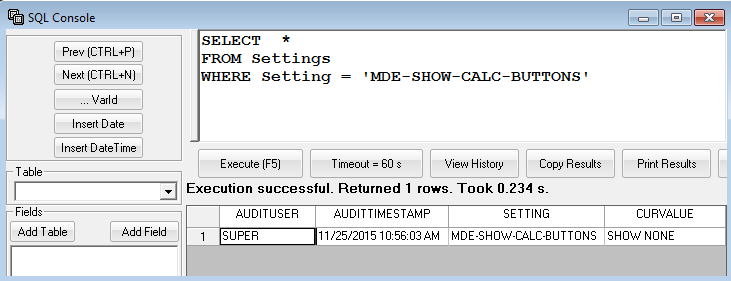
Note: Setting is held in the Facility's Settings Table, SETTING Field = 'MDE-SHOW-CALC-BUTTONS'